Cybersecurity
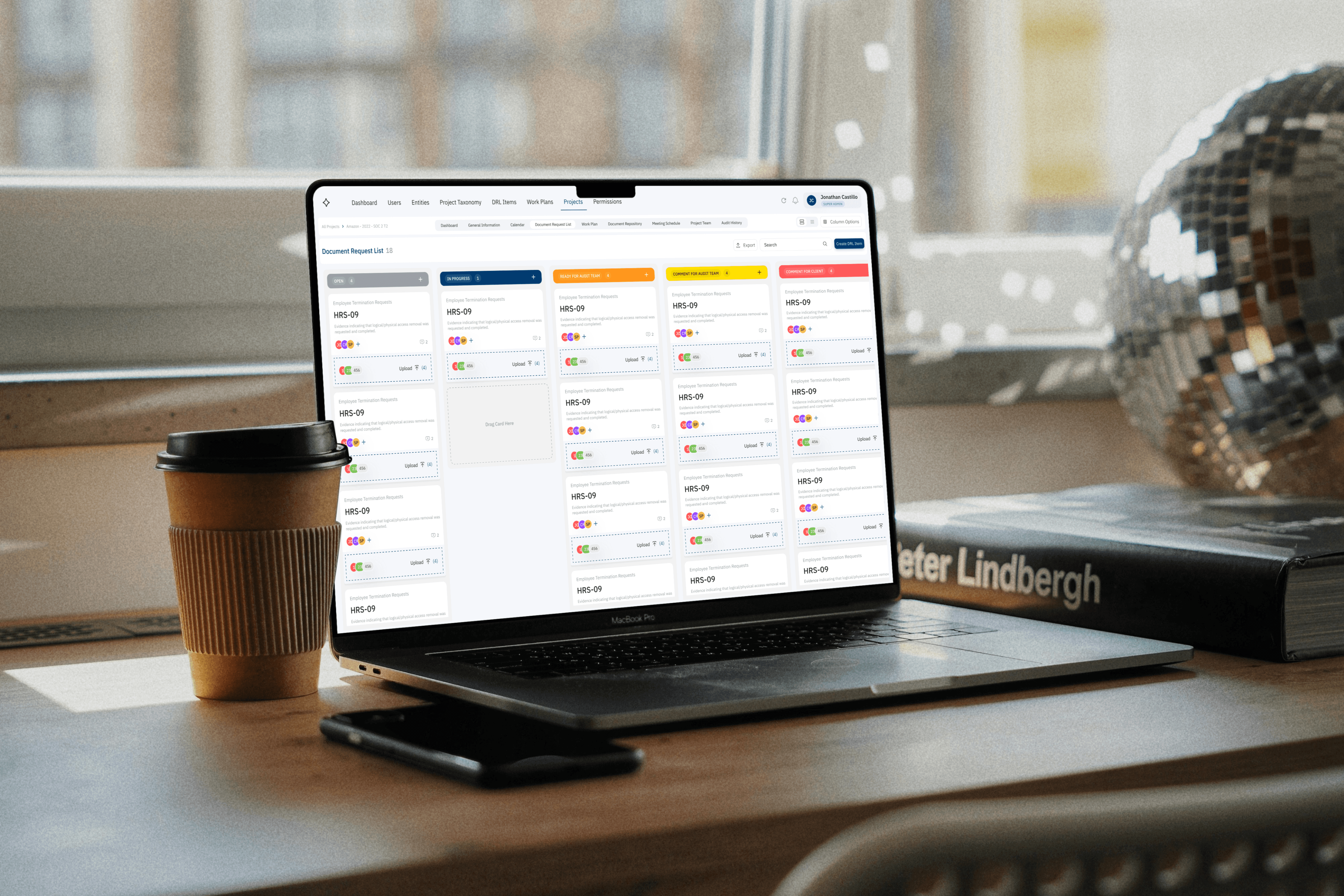
I led the design of a security and compliance platform — transforming complex regulatory workflows into a structured experience that helps teams monitor risk, maintain compliance, and act with confidence across critical systems.
Product
Desktop & Mobile
Skills
Product Design
Workflow Optimization
Design Systems
Interactive Prototyping
My Role
Lead Designer
Year
2022

Problem
Surfacing what needs action
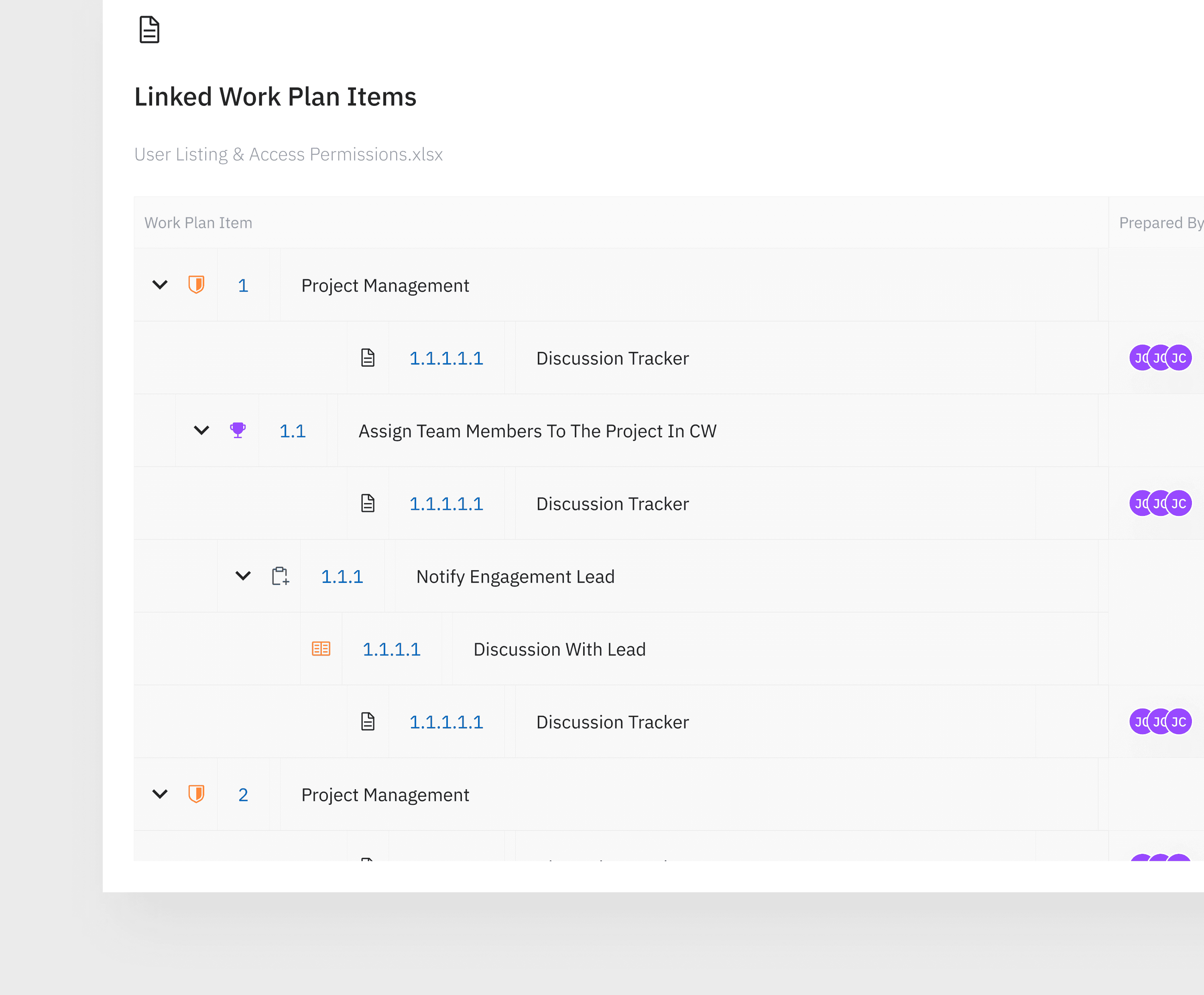
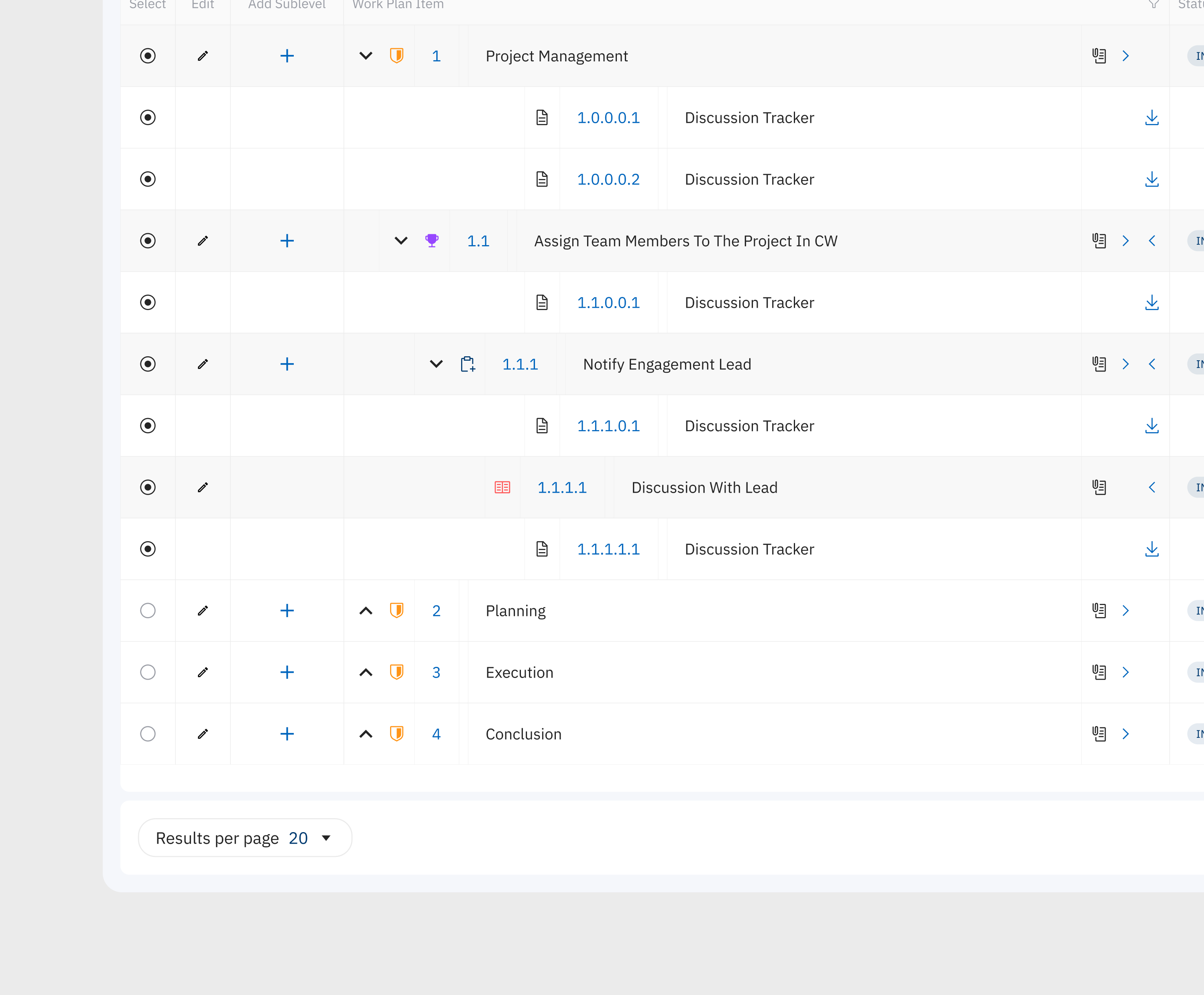
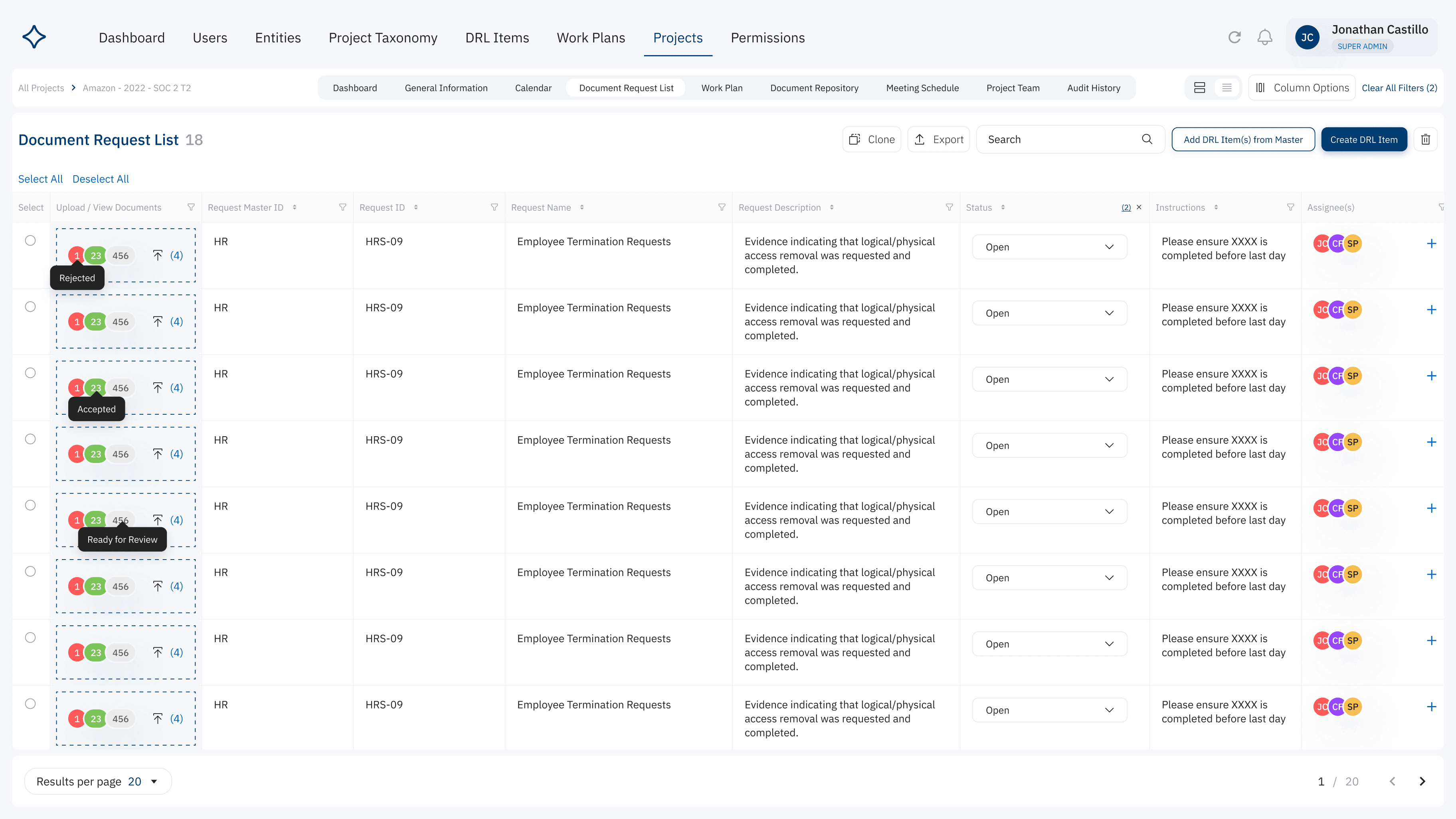
Teams needed a fast, reliable way to monitor document requests, track progress, and identify what required action, but the existing list-based interface made this difficult. Critical information was buried across dense rows and columns, forcing users to scan line by line to understand status, priorities, and blockers. The challenge wasn’t missing functionality — it was visibility. The goal was to redesign the experience so users could instantly understand workflow progress, reduce cognitive load, and act confidently without needing to interpret complex tables.
Research
Where the system created friction
Original Observations
Early product reviews and stakeholder walkthroughs revealed that the list-based interface made it difficult for teams to quickly understand document status, priorities, and next steps. While the system contained all necessary data, the presentation required users to scan dense rows, interpret multiple columns, and mentally track progress across items — increasing cognitive load and slowing decision-making.
Key observations included
Status visibility was buried in columns instead of being immediately scannable
Users had to read row-by-row to understand progress or blockers
Priorities weren’t visually distinguishable at a glance
Teams struggled to quickly identify what needed action versus what was complete
Monitoring workflow progress required constant filtering and sorting
Solution
Making workflow progress visible
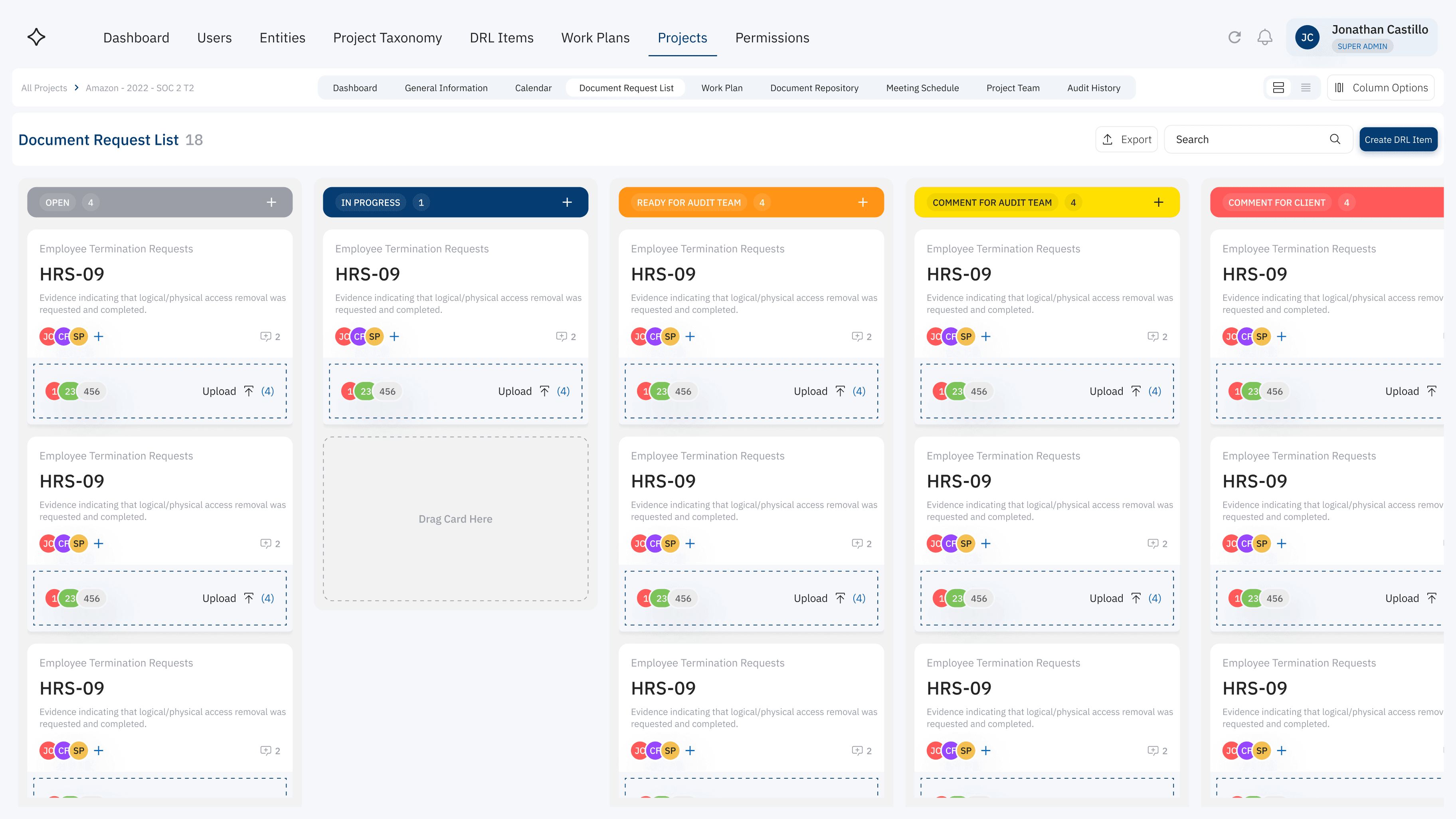
Because teams needed to understand project status at a glance, the experience was redesigned from a dense list view into a visual Kanban workflow. Instead of scanning rows to interpret progress, users could instantly see what was open, in progress, blocked, or ready for review. The interface was intentionally structured to reduce cognitive load, surface priorities, and make next steps obvious without requiring manual analysis.
Key improvements included
Replaced table-based tracking with a visual status board
Introduced clear workflow stages for instant progress recognition
Enabled drag-and-drop task movement for faster updates
Grouped related information into scannable cards
Added status color-coding to highlight priority and blockers
Takeways
Structure shapes behavior
This project reinforced that how information is organized directly affects how people work. When workflows were presented as static data, progress felt hidden and tasks stalled. Once the experience was reframed into a spatial, status-driven system, users naturally prioritized, moved faster, and stayed aligned without needing extra guidance.
Better structure didn’t just improve usability — it changed how teams operated.